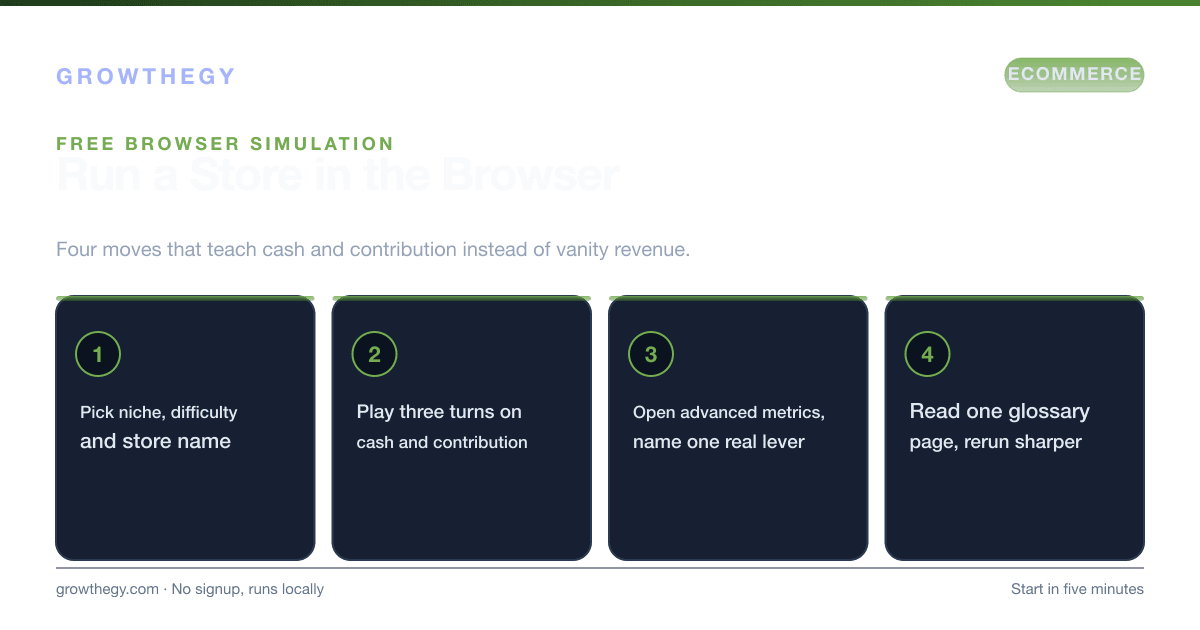
The ecommerce game: a free browser simulation for running an online store—turns, scoring, what you learn vs generic business games, and classroom use.
Benchmarks
Average ecommerce conversion rate is often ~2–3% (varies widely by industry and traffic mix).
Source: IRP Commerce — Ecommerce Market Data (Jan 2026)
Average ecommerce cart abandonment rate is 70.19%.
Source: Baymard Institute — Cart Abandonment Rate Statistics (2024)
Key takeaways
- The Ecommerce Game: A Free Browser Simulation for Running an Online Store — focus on one metric or lever at a time; validate with data before scaling spend.
On this topic: Ecommerce Simulator · Ecommerce Simulators and Learning Tools: What Each One Actually Teaches (2026), Ecommerce Simulator Niche Baselines: What the Teaching Model Assumes (2026)
Searchers looking for the ecommerce game, an e-commerce game, or online store simulation software usually want the same thing: a low-stakes way to run a virtual store, feel the pressure of cash and ads, and learn the vocabulary of unit economics before real money is on the line. Growthegy's Ecommerce Simulator is that game—free in the browser, no signup, progress saved on this device.
This guide explains what the game is, how a turn works, how scoring and phases work, what you actually learn, how it differs from generic business-simulation games and heavier simulation software, and how classrooms can assign the same run. For a plain-language definition of the category, see what an ecommerce simulator is.
What the ecommerce game is
The game puts you in the seat of an ecommerce operator. You set up a store (business type, niche, difficulty, name), then each turn you allocate attention and budget across marketing, product, conversion, and retention. The model advances traffic, conversion, pricing effects, costs, and cash. Random events—supply hiccups, seasonality, competition—force you to adapt. The dashboard can stay simple (headline cash and revenue) or open into advanced metrics and a simplified valuation view.
People search “the ecommerce game,” “ecommerce game,” and “simulator e commerce” because they want something playful that still teaches real constraints. A slideshow of definitions will not do that. A turn-based store will. You feel the tension between growth and cash in a way a static article cannot match—then you come back to glossary pages with better questions.
It is intentionally a teaching toy, not a market simulator. There is no live ad auction, no payment-processor float, and no SKU-level lead time. Initiatives typically apply in one turn. CAC and traffic use stylized curves with diminishing returns. That design is a feature: trade-offs stay visible so you build judgment fast. When you need audit-ready numbers, move the winning assumptions into a spreadsheet—see simulator vs spreadsheets.
How a turn works
After setup (turn 0), each turn is a closed loop of decisions and outcomes. Typical levers:
- Traffic and acquisition — spend and channel mix that move sessions and modeled CAC.
- Conversion and offer — pricing, merchandising, and funnel health that change order rate and AOV.
- Margin and ops — product and fulfillment choices that protect contribution after COGS, shipping, fees, and returns.
- Retention — actions that affect whether buyers come back, which feeds LTV and payback.
At the end of the turn you read revenue, profit, cash, and channel efficiency (including ROAS). Harder difficulty settings tighten starting cash, worsen baseline funnel health, and raise pressure on unit economics—not only on the balance sheet. That is why the game teaches cash discipline as much as creative testing.
Phases, goals, and scoring
Free play has no mandatory finish line: you continue until you reset or fail a cash/debt rule on strict settings. Practice scenarios add a phase deadline and a goal—cash runway, margin-first growth, retention versus acquisition, and others. Many classroom and challenge runs use a roughly ten-phase arc so a session fits a class period or a focused evening.
Scoring blends progress toward the scenario goal with an estimated business value or XP-style readout depending on mode. Leaderboard submit is optional and can be disabled in classroom assign links. Shared result pages are for bragging rights and debrief, not for SEO of private runs. Open focused play mode when you want fewer chrome distractions, or pick a scenario landing under practice scenarios.
What you learn (and what you do not)
You learn how AOV, gross margin, CAC, LTV, ROAS, channel mix, and operational choices compound. You feel why a “good ROAS” week can still burn cash if contribution is thin or inventory/timing assumptions are wrong. You practice the language of unit economics until the terms stick.
You do not get a forecast of your Shopify P&L. You do not export a full financial model. You do not replace cohort analysis in your real analytics stack. The right workflow is: play → write down the assumption that broke → validate with store data and a spreadsheet. For a structured fundamentals path, use learn ecommerce fundamentals with the simulator.
Ecommerce game vs generic business games vs simulation software
| Format | Best for | Weak at |
|---|---|---|
| This ecommerce game | DTC/store unit economics, cash, ads intuition | Audit-ready forecasts, SKU lead times |
| Generic tycoon / business games | Entertainment, broad strategy tropes | Ecommerce CAC, ROAS, contribution vocabulary |
| Enterprise simulation software | Ops training, multi-echelon supply, classrooms with licenses | Instant free browser practice; often heavy setup |
| Spreadsheets | Investor models, custom P&L, cash planning | Fast feedback loops and narrative debriefs |
If your search was “e commerce simulation software,” ask whether you need a training department platform or a free browser game that teaches the same mental model. Most operators and students need the latter first. Spanish-speaking searchers looking for a simulador de ecommerce can start on the Spanish landing, which opens the same game with the UI in Español.
Classroom and team use
Teachers and workshop leads can assign the same seed and scenario so every student sees comparable events. Classroom mode supports CSV export after a phase for grading or group debrief. Discussion prompts that work well: Where did cash actually break? Was ROAS masking a contribution problem? Would you fund retention or acquisition next with this cohort story?
Teams can use a shared scenario before a budget meeting: run the “what if we raise CAC 20%?” story in the game, then lock the agreed assumptions into the board spreadsheet. Seven starter ideas live in seven scenarios to try.
Scoring, XP, and why “winning” is not the point
Leaderboards and phase scores are useful for classrooms and friendly competition. They are a poor proxy for whether you understood the unit. A high score on easy difficulty with inflated starting cash teaches less than a mediocre score on hard mode where you protected contribution and refused a vanity ROAS spike. When you debrief, ask: Did cash survive? Did contribution per order hold? Would I spend real money on the channel mix I just ran?
Optional AI insight copy can rewrite debriefs in richer language when enabled. It does not change the underlying numbers. Treat it as narrative sugar—your job is still to name the lever that moved the balance sheet.
Common beginner mistakes in the game
- Maxing ad spend every turn because revenue went up once, while cash silently trends to zero.
- Chasing ROAS without reading contribution or refund pressure.
- Ignoring retention actions until CAC payback obviously needs a second order.
- Restarting instead of reading the turn debrief when a random event hits.
- Playing only easy mode, then being surprised that real stores feel tighter.
Those mistakes mirror real operator failure modes. The game is valuable when it makes the failure cheap and memorable. After a bad run, write one sentence you would put on a sticky note next to your real ads dashboard—then open the glossary term behind that sentence.
How to start in five minutes
- Open the Ecommerce Simulator hub or play mode.
- Complete setup: niche, difficulty, store name. Harder difficulty = tighter cash lessons.
- Play three turns focusing only on cash and contribution, ignoring vanity revenue spikes.
- Open Advanced metrics once and name one lever you would change in a real store.
- Read one glossary page—start with unit economics—then rerun with sharper inputs.
That loop is the point of the ecommerce game: cheap reps, clear vocabulary, better questions before you spend. When you are ready for Spanish chrome, use the simulador ecommerce landing; when you need forecasting rigor, leave the game and build the spreadsheet. If you came from a search for “the simulator e-commerce,” “ecom simulation,” or “e commerce simulation software,” you are in the right place—this is the free browser game built for store operators and students, not a licensed warehouse twin.