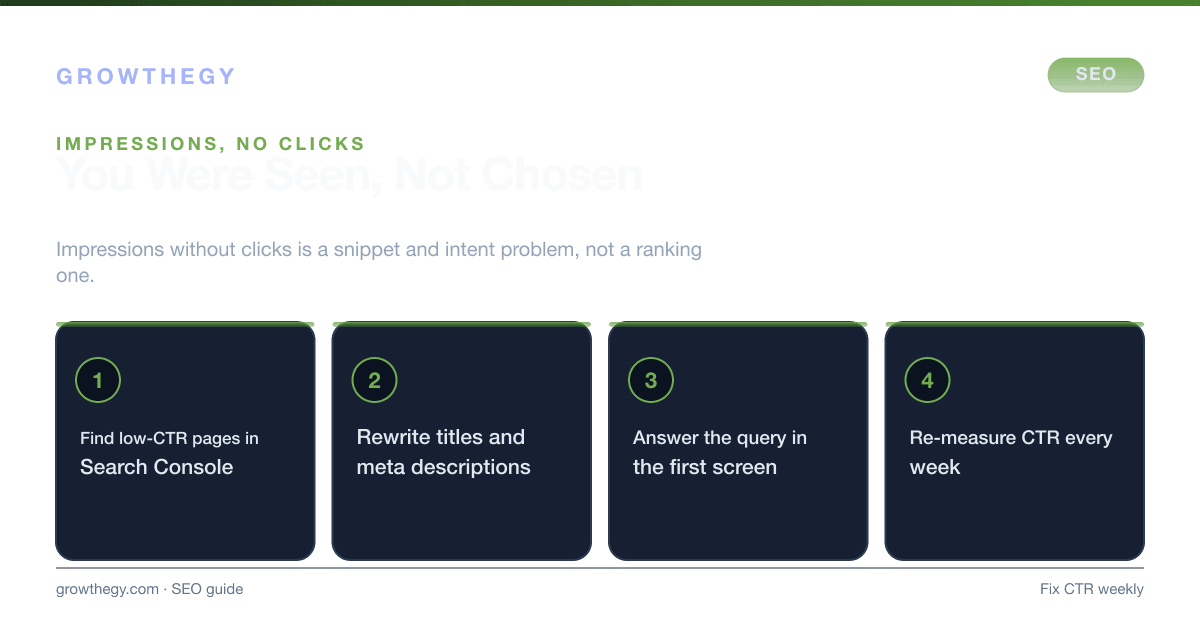
Impressions but no clicks? Top reasons—weak titles and snippets, intent, position, tracking—and how to fix each so SEO clicks grow.
Benchmarks
96.55% of the roughly 14 billion pages in Ahrefs’ Content Explorer index get zero traffic from Google.
Source: Ahrefs — How Many Pages Get Organic Search Traffic (2023)
Key takeaways
- Why My Site Is Not Getting SEO Clicks (And How to Fix It) — focus on one metric or lever at a time; validate with data before scaling spend.
On this topic: Ecommerce Simulator · How to Make Money From SEO in the AI Era (2026 Guide)
Many site owners see impressions in Search Console or Bing Webmaster Tools but very few clicks. It can feel like clicks aren't counting—but usually the data is correct; the issue is why people don't click. Below are the main reasons and how to fix them.
According to Advanced Web Ranking 2024, the average CTR for position 1 in Google search is around 27.6%, dropping sharply to 15.8% for position 2, and just 2.4% for position 10. Meanwhile, SparkToro 2024 reports that nearly 60% of all Google searches end without a click. The combination of low rankings and AI Overviews capturing attention means many sites sit in a "high impressions, low clicks" trap. The good news: each root cause has a clear fix.
1. Weak or Vague Title and Meta Description
If your result doesn't clearly say what the page is and why someone should click, they'll pick a competitor. Fix: Write a benefit-led title (under ~60 characters) that matches the query, and a meta description (~155 characters) that states the outcome or answer. Test different phrasings; small changes can lift CTR.
Research by Backlinko 2023 found that titles containing a question generate a 14.1% higher CTR on average compared to titles without one. Power words (e.g., "guide," "checklist," "step-by-step," numbers like "7 ways") also consistently lift click-through. Use Google Search Console to identify your highest-impression, lowest-CTR pages and prioritize rewriting those titles first.
2. Intent Mismatch
You might rank for a query where users want a quick answer (and get it in a snippet) or a different format (e.g. video, tool). Fix: Check Search Console or Bing for the actual queries. If intent doesn't match your page, either adjust the content to match or create a dedicated page. For "why don't my clicks count," ensure your page clearly addresses that question.
There are four main search intent types: informational (how to, what is), navigational (brand searches), commercial investigation (best X, X vs Y), and transactional (buy X, X price). If your page is optimized for informational intent but users are in commercial investigation mode, they'll click a comparison article instead. Align your page format and content depth to the dominant intent for each target query.
3. AI Overviews Stealing Clicks
Google's AI Overviews (formerly Search Generative Experience) now appear for a significant share of queries and deliver answers directly in the SERP. Semrush 2025 found that pages ranking in positions 1–3 saw an average 8.9% CTR decline when AI Overviews were present. For informational queries, the impact is even greater.
The fix is twofold: first, optimize content to be cited within the AI Overview (which still generates brand visibility and some clicks); second, shift content strategy toward formats AI Overviews rarely replace—detailed comparisons, tool-based content, original research, and transactional pages. Getting cited in AI Overviews requires clear structure, authoritative sourcing, and direct answers—all hallmarks of good E-E-A-T content.
4. Position and Competition
Results in positions 4–10 get far fewer clicks than the top three. Fix: Improve content depth and relevance, earn links, and fix technical issues so you can move up. In parallel, improve titles and descriptions so that when you do get impressions, more turn into clicks.
| Search Position | Average CTR (Desktop) | Average CTR (Mobile) | Relative Traffic Share |
|---|---|---|---|
| 1 | 27.6% | 24.5% | ~28% of all clicks |
| 2 | 15.8% | 13.7% | ~16% |
| 3 | 11.0% | 9.8% | ~11% |
| 4 | 7.9% | 6.9% | ~8% |
| 5 | 6.1% | 5.3% | ~6% |
| 6–10 | 2–4% | 1.5–3.5% | ~2–4% each |
Source: Advanced Web Ranking, 2024 CTR Study.
5. Tracking or Reporting Scope
Search Console and Bing show Web search data only. If you get traffic from Chat, Discover, or other surfaces, those visits won't appear as "clicks" in the search report—so total site traffic can be higher than the clicks you see. Fix: Use Google Analytics (or similar) for total traffic and keep Search Console for search-specific performance. Ensure your property includes the correct domain (www vs non-www) so data isn't split.
Also check for tag implementation issues. If your Google Analytics tag isn't firing correctly on all pages (check with GA Debugger or Google Tag Assistant), sessions may not be attributed to organic search even when users do click. Verify that all main landing pages are correctly tagged and that UTM parameters from ad campaigns aren't accidentally overriding organic attribution.
6. Low Impression Volume
With only a few dozen or hundred impressions, even a decent CTR produces very few clicks. Fix: Grow impressions by targeting more queries (new content, better internal links) and improving rankings. Then optimize snippets so a higher share of impressions become clicks.
A site with 500 monthly impressions and a 5% CTR gets 25 clicks. A site with 50,000 monthly impressions and a 3% CTR gets 1,500 clicks. Impression growth from new content is often faster than CTR improvement from title tweaks—both matter, but prioritize impression growth if your total is under 10,000 per month.
7. Rich Snippets and Featured Snippet Competition
Even if you rank in position 3, a featured snippet (position zero) owned by a competitor, or rich results (images, star ratings, FAQ) for other listings, can draw attention away and depress your CTR. Structured data markup (FAQ schema, HowTo schema, Review schema) can help your result stand out visually and compete for featured snippet territory.
Ahrefs 2024 found that featured snippets receive 8.6% of all clicks for a given query, on average, but the effect on the underlying page (if it owns the snippet) is a significant CTR boost. Target featured snippet opportunities by identifying queries where you rank in positions 2–5 and have a clear, well-structured answer on the page.
Step-by-Step Action Plan to Fix Low SEO Clicks
- Open Google Search Console and sort pages by impressions (descending). Filter to the last 3 months. Look for any page with 1,000+ impressions and a CTR under 3%—these are your highest-priority opportunities.
- For each priority page, check the top 5 queries driving impressions. Search for those queries yourself (in incognito) and observe what's different about the top results' titles and snippets vs. yours.
- Rewrite the title tag. Make it benefit-led, include the primary keyword near the front, and keep it under 60 characters. If the page answers a question, consider making the title a question.
- Rewrite the meta description. Frame it as a teaser with a clear benefit statement. End with an implicit or explicit call to action ("learn how," "see the data," "get the checklist").
- Check intent alignment. If the top competitors for your target query are all list articles but yours is a long-form essay, consider restructuring. Format matters as much as content quality.
- Add structured data where appropriate. FAQ schema, breadcrumb schema, and article schema help search engines understand your content and can trigger rich result enhancements in the SERP.
- Wait 4–6 weeks and measure CTR change in Search Console. Compare before/after for each modified page. Double down on what works and continue iterating.
What to Do Next
List your top pages by impressions in Search Console or Bing. For any with low CTR (e.g. under 2–3%), rewrite the title and meta description to be clearer and more compelling. Recheck in 2–4 weeks. Once traffic recovers, our Ecommerce Simulator can help you check that the extra visits turn into profit.
If AI Overviews are reducing clicks on your best content, review our guide on Generative Engine Optimization and pair it with our GEO audit checklist so you tighten pages AI can confidently cite—the best long-term protection against shallow click declines.