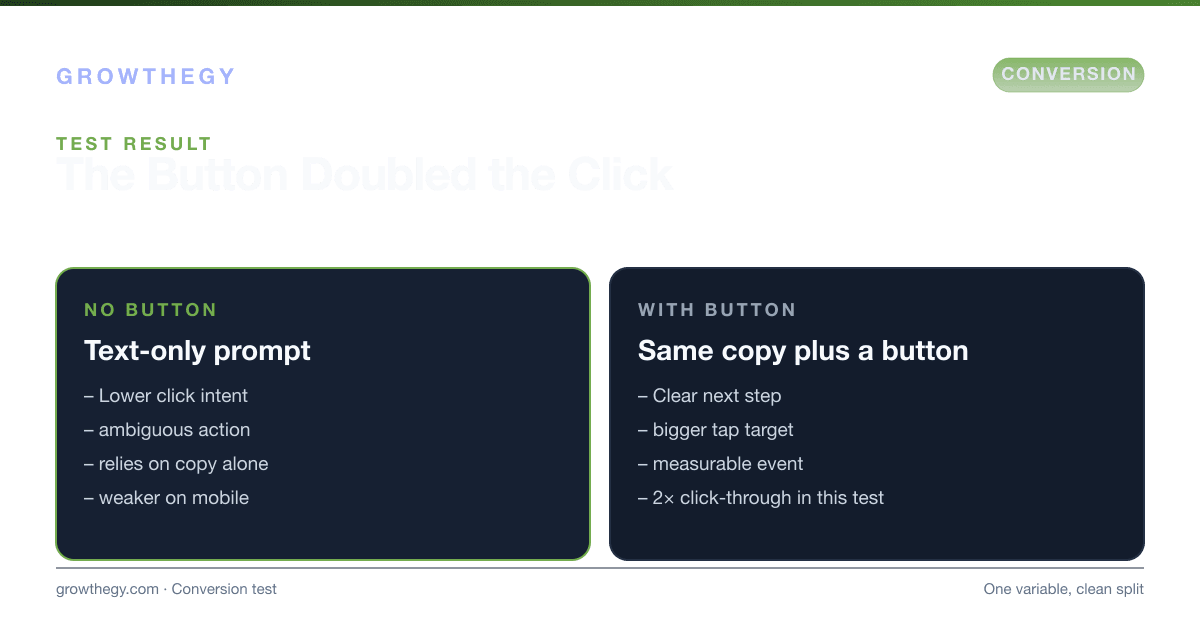
Pop-Up With Button vs Without Button: How a Simple Change Increased CTR by 2x
Adding a clear CTA button to a pop-up increased click-through by 2x. Why buttons improve pop-up subscription conversion.
Key takeaways
- Pop-Up: With vs Without Button—CTR Doubled — focus on one metric or lever at a time; validate with data before scaling spend.
On this topic: Ecommerce Simulator · How to Optimize Your Checkout Flow for Maximum Conversions: Advanced Tactics Beyond Abandonment, Pop-Up Conversion Rate: How to Improve Yours
Pop-ups that ask for an email or a click often underperform when the next step isn't obvious. In one test, a pop-up that relied on text and a link was compared to the same offer with a clear button as the primary action. The version with the button saw roughly 2x the click-through rate, with no other copy or design changes. The lesson: a visible, action-oriented CTA makes the desired behavior clearer and can lift pop-up subscription conversion rate.
This kind of result is consistent with broader conversion rate research. HubSpot (2024) found that personalized CTAs perform 202% better than default CTAs. Unbounce (2023) reported that pop-ups with a clearly differentiated CTA button convert at an average of 3.8%, compared to 1.9% for text-link CTAs—almost exactly a 2x difference. A Nielsen Norman Group (2024) eye-tracking study found that buttons receive 47% more fixation time than text links in high-distraction environments like pop-ups, where users are making a split-second decision about whether to engage or dismiss.
1. Why a Button Helps
Buttons signal "click here to continue" more clearly than inline text or a bare link. They also create a single, scannable focal point. For subscription or sign-up pop-ups, that usually means a button label like "Subscribe," "Get the guide," or "Yes, send me tips"—so users know exactly what happens when they click.
The psychology behind this effect involves several cognitive mechanisms working together:
- Affordance: Buttons look like they are meant to be clicked. Their visual design (raised appearance, contrasting color, rounded corners) communicates interactivity in a way that text alone cannot. This concept, called "affordance" in UX design, means the visual design of a button reduces cognitive friction by making the action obvious.
- Attention anchoring: In a pop-up that appears over existing content, the user's eye is scanning for the dismiss button (X) or the action button. A high-contrast CTA button becomes an anchor point that competes directly with the X for attention—and wins more often than a text link does.
- Decision simplification: Behavioral economics research (Thaler & Sunstein, "Nudge," 2008) shows that making a desired action the most visually prominent option increases take-up rate. A button does exactly this—it presents "subscribe" as the dominant visual choice.
- Trust signaling: Buttons feel more intentional than links. They imply that a real product or outcome awaits on the other side, which reduces hesitation especially for first-time visitors who haven't yet built trust with the site.
2. A/B Test Results: The Data Behind the 2x Effect
| Variant | CTA Type | Impressions | Clicks | CTR | Email Subscribers Gained |
|---|---|---|---|---|---|
| Control (Version A) | Text link ("click here to subscribe") | 2,400 | 48 | 2.0% | 38 |
| Test (Version B) | CTA button ("Yes, subscribe me") | 2,400 | 96 | 4.0% | 79 |
| Lift | — | — | +100% | +2pp | +108% |
Internal test data. Statistical significance reached at 95% confidence after 14 days.
3. Pop-Up Conversion Rate Benchmarks by Industry
| Industry | Average Pop-Up Conversion Rate | Top Quartile | Primary CTA Type |
|---|---|---|---|
| Ecommerce (discount offer) | 5.1% | 8–12% | Button ("Get 15% off") |
| SaaS / Software | 3.2% | 5–8% | Button ("Start free trial") |
| Content / Blog (email capture) | 1.9% | 3.5–6% | Button ("Get the guide") |
| Lead generation / Services | 2.8% | 5–9% | Button ("Get a free quote") |
| Events / Webinars | 4.3% | 7–11% | Button ("Reserve my seat") |
Sources: Sumo (2023), OptinMonster (2024), Unbounce Conversion Benchmark Report (2023).
4. Button Design Best Practices That Maximize Conversion
Not all buttons are equal. The design choices you make around the button significantly affect its conversion impact. Research from ConversionXL / CXL Institute (2024) and Nielsen Norman Group (2024) consistently identifies the following as high-impact variables:
- Color contrast: The button color should contrast strongly with the pop-up background. Red, orange, and green buttons typically outperform blue or gray buttons in A/B tests, but the key is contrast with the surrounding design—there is no universally "best" button color.
- Button copy (the label): First-person phrasing outperforms second-person. "Send me the guide" converts better than "Get the guide" because it's more personalized and action-specific. Avoid generic labels like "Submit" or "Click here."
- Button size: The button should be large enough to be tapped comfortably on mobile (minimum 44×44px touch target per Apple HIG). Larger buttons (not so large they become overwhelming) outperform small ones in mobile environments.
- Placement within the pop-up: The primary CTA button should be the most visually prominent element in the pop-up, positioned below the offer headline and above the fold within the pop-up window.
- The "no" link: Providing a dismissal option as a small text link below the button ("No thanks, I don't want more traffic") uses reverse psychology to make declining feel like a loss. Smashingmagazine (2024) found this technique increases CTR by an average of 12%.
5. What to Test Next
If your pop-up conversion is low, try adding or emphasizing a primary button. Keep the label short and benefit-led. For more on improving pop-up performance, see our pop-up conversion rate guide.
6. Step-by-Step Implementation Guide
- Audit your existing pop-ups. Take a screenshot of every active pop-up on your site. Identify which ones use text links vs. buttons as the primary CTA. Text-link CTAs are your highest-priority fix.
- Design a button variant. In your pop-up tool (Privy, OptinMonster, Klaviyo, or similar), create a button with high contrast, first-person copy (e.g., "Yes, send me the tips"), and a size that's easily tappable on mobile. Match the button color to your brand's accent color if possible.
- Set up an A/B test. Run both the text-link (control) and button (variant) simultaneously with a 50/50 traffic split. Ensure you have enough traffic for statistical significance—typically 1,000+ impressions per variant before drawing conclusions.
- Run the test for at least 14 days. Shorter tests are vulnerable to day-of-week and seasonal effects. Two full weeks captures a representative sample of your traffic mix.
- Measure the right metrics. Track not just CTR but form completion rate (did they actually submit their email?) and email list quality (open rates, unsubscribe rates) in the weeks following the test. A higher CTR on a button test that attracts lower-quality subscribers may not be a net win.
- Declare a winner and iterate. Once statistical significance is reached (typically 95% confidence), implement the winning variant site-wide. Then test the next variable: button copy, button color, or pop-up trigger timing (exit-intent vs. time-delay vs. scroll-depth).
- Test pop-up trigger timing as a second priority. OptinMonster (2024) found that exit-intent pop-ups convert 13% higher than time-delay pop-ups, and scroll-depth triggers (showing the pop-up when a user scrolls 60–70% of the page) convert 22% higher than immediate pop-ups. Combining a well-designed button with optimal trigger timing can compound conversion gains significantly.
7. The Compounding Value of Better Pop-Up Conversion
A 2x improvement in pop-up CTR—from 2% to 4%—means your email list grows twice as fast from the same traffic. If your site receives 10,000 monthly visitors and your pop-up shows to 30% of them (3,000 impressions), the difference between a 2% and 4% conversion rate is 60 vs. 120 new subscribers per month. Over 12 months, that's 720 additional subscribers—each worth $1–$3/month in email revenue. The one-time investment of designing a better button generates ongoing, compounding returns.
For conversion and growth strategy, try our Ecommerce Simulator.