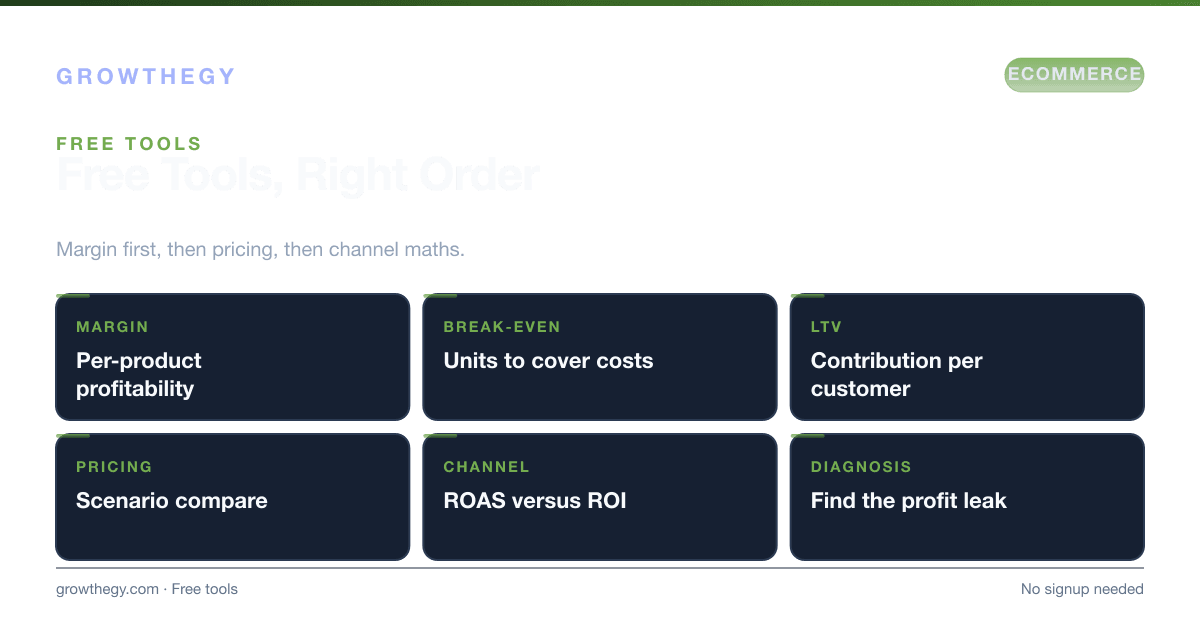
Best Free Profitability Tools for Ecommerce
Best free ecommerce profitability tools: product margin analyzer, LTV math, and pricing scenarios—no signup. Compare break-even and growth cost before you spend.
Benchmarks
Average ecommerce conversion rate is often ~2–3% (varies widely by industry and traffic mix).
Source: IRP Commerce — Ecommerce Market Data (Jan 2026)
Average ecommerce cart abandonment rate is 70.19%.
Source: Baymard Institute — Cart Abandonment Rate Statistics (2024)
Key takeaways
- Best Free Ecommerce Profitability Tools — focus on one metric or lever at a time; validate with data before scaling spend.
- Pair reading with the Ecommerce Simulator on Growthegy to practice unit economics and decisions before you spend.
- Bookmark growthegy.com/ecommerce-simulator/ for hands-on scenarios; use the blog for deeper guides.
On this topic: Ecommerce Simulator · Meta Ads for Ecommerce: What 100+ Studies Say Works, Online Business Lost Sales: The Complete 2026 Data Study — Why 70% of Carts Abandon
Knowing which products and channels are actually profitable is the first step to scaling. These free profitability tools help you measure margins, break-even, and the cost of growth—without spreadsheets or paid software.
The stakes for ecommerce profitability are high. McKinsey & Company (2024) found that 60% of ecommerce businesses that fail do so because of margin erosion—they grow revenue but not profit. Shopify (2025) reports that the average ecommerce store has a net profit margin of just 10–15%, with many sitting below 5% after accounting for returns, shipping, and customer acquisition costs. The tools below are designed to give you clarity on exactly where your margin goes and how to protect it as you scale.
Why Most Ecommerce Businesses Misjudge Profitability
The most common profitability mistake is calculating margin at the gross level (revenue minus product cost) and ignoring the "below the line" costs that eat into real profit: shipping, fulfillment, returns, payment processing fees, packaging, customer service overhead, and the cost of acquiring each customer. A product with a 60% gross margin can become a 5% net margin product when all costs are included.
Deloitte (2024) found that ecommerce businesses that tracked profitability at the SKU level (per product) were 2.3x more likely to reach 20%+ net margins than those that only tracked overall revenue and gross margin. The tools below make SKU-level profitability analysis accessible without a finance team or paid software.
Tool Comparison: Free Profitability Tools for Ecommerce
| Tool | What It Measures | Key Output | Best For | Signup Required? |
|---|---|---|---|---|
| Ecommerce Simulator | Per-product net profit and margin | Net profit/unit, margin %, winner/loser ranking | Multi-SKU stores comparing products | No |
| Ecommerce Simulator | Customer lifetime value, CAC, payback | LTV, LTV:CAC ratio, payback period | Setting acquisition budgets and ad spend caps | No |
| Pricing & Bundling Simulator | Revenue and margin impact of price/bundle changes | Revenue scenarios, margin by bundle | Optimizing pricing before launch or promotion | No |
| Ecommerce Simulator | Store-level financial modeling | Revenue, costs, profit projections | Planning new stores or growth scenarios | No |
| Ecommerce Simulator | Return on ad spend by channel | ROAS, break-even ROAS, channel efficiency | Evaluating paid ad performance vs. target margin | No |
| AOV Optimizer | Average order value impact on profitability | Revenue impact of AOV changes, bundle strategies | Increasing order value without increasing ad spend | No |
1. Product Profitability Analyzer
Our Ecommerce Simulator lets you compare products side-by-side. Enter COGS, shipping, fulfillment, and returns; you get net profit per unit and margin %. Use it to find winners and losers and decide what to promote, discount, or discontinue.
Most ecommerce stores carry some products that are genuinely profitable and some that are marginally profitable or even loss-making once all costs are included. The Product Profitability Analyzer surfaces this clearly, so you can make confident decisions about where to invest marketing spend and where to pull back.
How to use it step by step:
- List your top 10–20 products by revenue.
- For each product, gather: selling price, cost of goods sold (COGS), average shipping cost, fulfillment/handling cost, return rate and average refund cost, and any platform fees (Shopify, Amazon, Etsy).
- Enter these into the analyzer for each product.
- Review the net profit per unit and margin % output for each product.
- Sort by margin % to identify your top performers and underperformers.
- For underperforming products, decide: can costs be reduced (negotiate COGS, switch fulfillment), can price be raised, or should this product be discontinued?
- Reallocate marketing spend toward your highest-margin products and rerun the analysis quarterly.
2. LTV Calculator
Customer lifetime value (LTV) drives how much you can spend to acquire a customer. The Ecommerce Simulator computes LTV, LTV:CAC ratio, and payback period so you can set sustainable acquisition budgets and understand the cost of growth.
The industry rule of thumb for a healthy ecommerce business is an LTV:CAC ratio of at least 3:1—meaning each customer generates at least three times what it cost to acquire them. Profitwell (2024) found that ecommerce businesses with LTV:CAC above 3:1 are 4x more likely to scale profitably compared to those with ratios below 2:1.
How to use it step by step:
- Find your average order value (AOV) from your store analytics dashboard.
- Find your average purchase frequency per customer per year (total orders ÷ total unique customers).
- Find your average customer lifespan in years (or use industry benchmarks: 1–3 years for most ecommerce categories).
- Enter these values into the LTV Calculator to get your customer LTV.
- Enter your average customer acquisition cost (CAC) — total marketing spend ÷ new customers acquired.
- Review the LTV:CAC ratio and payback period outputs.
- If LTV:CAC is below 3:1, focus on improving repeat purchase rate (loyalty programs, email marketing) or reducing CAC (better targeting, referral programs) before scaling ad spend.
3. Pricing & Bundling Simulator
Test price changes and bundles before you commit. The Ecommerce Simulator shows revenue and margin impact so you can optimize for profitability without guesswork.
Pricing decisions are often made on intuition, but a 5% price increase on a product with a 20% net margin increases profit per unit by 25%—a disproportionate impact that most ecommerce operators underestimate. Similarly, product bundles that combine a high-margin item with a lower-margin item can increase both average order value and overall basket margin simultaneously.
How to use it step by step:
- Identify your 3–5 best-selling products by volume.
- For each product, enter current price, COGS, and volume sold per month.
- Test a 5%, 10%, and 15% price increase to see the revenue and margin impact at current conversion rates.
- Test a bundle combining two complementary products—the simulator will show you the combined margin and how it compares to selling them individually.
- Evaluate which scenario gives you the best margin-per-transaction improvement without requiring significant conversion rate assumptions.
- Launch the best-performing scenario as a limited test before committing site-wide.
4. ROAS Calculator
Paid advertising is often the largest variable cost for scaling ecommerce brands. The Ecommerce Simulator helps you understand what ROAS you need to hit to break even and what you're actually achieving by channel.
The critical metric is break-even ROAS—the minimum ROAS at which your ad spend covers all costs and leaves you at zero profit. Anything above break-even ROAS is profit; anything below is a loss. Most ecommerce brands have break-even ROAS between 2.5x and 5x depending on their margin structure. Without knowing this number, scaling ad spend is guesswork.
5. More Free Tools
For a full list—including the Ecommerce Simulator, AOV Optimizer, and campaign planning tools—see our Ecommerce Simulator. No payment or signup is required.
Profitability Benchmarks by Ecommerce Category
| Ecommerce Category | Typical Gross Margin | Typical Net Margin | Average LTV:CAC Ratio | Key Profitability Lever |
|---|---|---|---|---|
| Fashion & Apparel | 45–65% | 8–15% | 2.5–4x | Return rate reduction, repeat purchase |
| Beauty & Personal Care | 60–80% | 12–20% | 3–5x | Subscription model, bundles |
| Home & Garden | 30–50% | 5–12% | 2–3.5x | AOV increase, fulfillment cost reduction |
| Electronics & Gadgets | 15–35% | 3–8% | 1.5–3x | Accessories upsell, warranty attach rate |
| Food & Beverage (DTC) | 40–60% | 10–18% | 3–6x | Subscription, sample-to-repeat rate |
| Sports & Outdoors | 35–55% | 7–14% | 2.5–4x | Community building, loyalty programs |
Sources: Shopify (2025), Profitwell (2024), Deloitte Digital Commerce Report (2024).
Key Takeaways
- Tracking profitability at the SKU level—not just overall revenue—is the single most important habit for scaling a profitable ecommerce store.
- A healthy LTV:CAC ratio (3:1 or above) is the foundation for sustainable paid acquisition—calculate yours before scaling ad spend.
- Pricing and bundling changes have a disproportionate impact on margin; test them with a simulator before committing.
- Knowing your break-even ROAS is non-negotiable for any brand running paid ads—without it, you cannot know if you're profitable at scale.
- All tools mentioned in this article are free, require no signup, and take less than 15 minutes each to run.