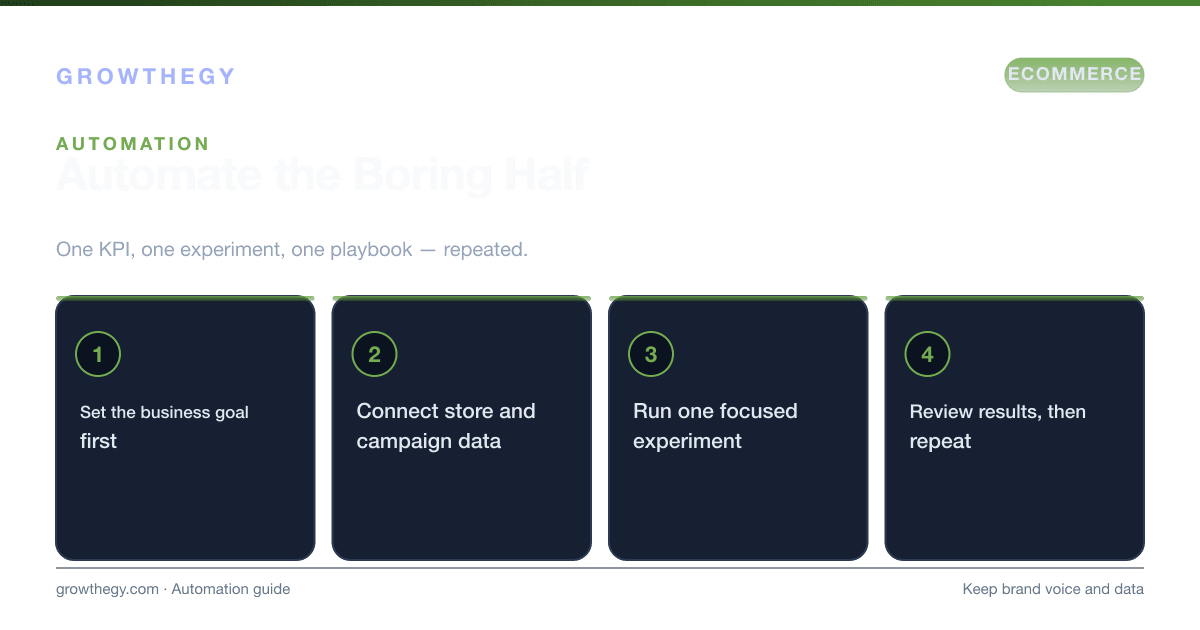
How to use OpenClaw to automate reviews, Shopify operations, and growth tasks so your ecommerce business scales without losing brand voice or data control.
Key takeaways
- OpenClaw: How to Use It to Grow Your Ecommerce Business — focus on one metric or lever at a time; validate with data before scaling spend.
On this topic: Ecommerce Simulator · Best Shopify MCP Servers for Ecommerce Analytics (2026): Compared, The Top MCPs Every Ecommerce Owner Needs to Use With Claude in 2026
Ecommerce growth often stalls on the same bottlenecks: review volume outstrips your team, operations repeat the same tasks, and reporting eats time that could go into strategy. Manual processes don't scale, and generic automation can sound robotic or put customer data at risk. OpenClaw is an AI-powered automation platform built for ecommerce: it automates review responses, Shopify operations, and growth-related tasks while keeping your brand voice consistent and your data under your control—often running locally instead of on third-party servers.
The scale problem is real. According to BrightLocal's 2025 Local Consumer Review Survey, 87% of consumers read online reviews before making a purchase decision, and 48% say they won't consider a business with fewer than 4 stars. Meanwhile, a Harvard Business Review study found that a 1-star increase in a brand's average review score leads to a 5–9% increase in revenue. Yet for most ecommerce teams, responding to reviews manually at scale is impractical—a store receiving 500+ reviews per month would need significant dedicated headcount just to keep up.
What OpenClaw Does
OpenClaw centers on a few core areas that directly affect ecommerce growth:
- Review automation — It connects to Shopify, WooCommerce, Amazon, and Google Reviews to analyze sentiment, draft on-brand replies, and escalate complex or negative cases to humans. Unlike simple keyword templates, it can use your product data and past successful replies so responses stay relevant (e.g. different handling for a $20 earbud vs. a $1,200 laptop). Teams using it report response times dropping from 30+ hours to under 10 hours, with higher escalation of negatives so fewer get mishandled.
- Shopify and operations — Inventory sync and forecasts, low-stock alerts, order status lookups, refund workflows (with approval), shipping labels, and sales reporting. Automation is scoped so you can give read-only access for lookups and require approval for refunds or customer-facing emails, which matters for compliance and safety.
- Competitor and price monitoring — A browser skill can visit competitor sites, capture pricing and stock signals, and feed that into your strategy. Useful for staying responsive on pricing and availability without manual checks.
- Growth skill— A dedicated skill helps design and reason about acquisition, activation, retention, revenue, and referral (the AARRR funnel). It doesn't replace your strategy but can support structured thinking and execution.
OpenClaw Feature Comparison: Manual vs. Automated Approach
| Task | Manual Approach | OpenClaw Automated Approach | Time Saved | Risk Level |
|---|---|---|---|---|
| Respond to 4–5 star reviews | 2–5 minutes per review | Automated, on-brand reply in seconds | ~80–90% | Low |
| Respond to 1–3 star reviews | 5–15 minutes + escalation | Drafted + routed to human for approval | ~50–60% | Low (human-in-loop) |
| Check low-stock inventory | Daily manual checks | Automated alerts when threshold crossed | ~95% | Very Low |
| Order status lookup for customer | 2–3 minutes to pull from Shopify | Real-time lookup via API | ~85% | Low |
| Refund processing | 5–10 minutes per case | Drafted + requires human approval before execution | ~40–50% | Low (approval gate) |
| Competitor price monitoring | Weekly manual spot checks | Scheduled browser checks + data capture | ~90% | Low |
| Weekly sales report | 30–60 minutes to pull and format | Automated report generation and summary | ~80% | Very Low |
Why It Helps Growth
Faster, consistent review responses support conversion: unanswered negative reviews can deter a significant share of potential buyers, and a 4-hour response benchmark is often cited as a target. Automating repetitive ops (order status, low-stock alerts, routine reporting) frees your team for higher-impact work and lets one agent support more stores or channels. Because OpenClaw can run locally and use scoped API access, you keep control of customer data and avoid per-task pricing, so scaling automation doesn't mean ballooning usage bills.
The compound effect is significant. A 2024 analysis of ecommerce teams using AI-assisted review management found that stores with response times under 6 hours saw a 12% higher conversion rate on product pages with reviews, and a 7% lower return rate—possibly because customers feel supported before and after purchase. When you free your team from review triage and routine ops, the hours recovered can go into strategic work: campaign planning, product development, and retention programs that compound over time.
Use Cases: OpenClaw for Competitor Analysis
One of OpenClaw's less obvious but highly valuable use cases is competitor intelligence. The browser skill can be configured to:
- Visit competitor product pages daily and record pricing, availability, and promotional offers
- Monitor competitor review scores and volume to detect reputation changes
- Track competitor product launches and catalog changes
- Capture competitor ad messaging from landing pages for positioning analysis
This creates a continuous competitive intelligence feed without requiring hours of manual research. For a store competing in a category where pricing shifts weekly (consumer electronics, sporting goods, home goods), this can directly inform pricing decisions and promotional timing.
How to Use It for Ecommerce Growth
Start with review automation.Turn on automated replies for 4- and 5-star reviews first, where brand voice consistency matters and risk is low. Route 1–3 star and any review with legal or refund language to humans. Once you're confident (e.g. after a few hundred automated replies), expand to neutral reviews while keeping negatives human-handled.
Connect inventory and product data.If your replies reference stock or shipping, sync product and inventory APIs so the system never promises "your order shipped!" for backordered items. Real-time or near-real-time sync prevents the most common automation mistakes.
Use ops automation for capacity. Low-stock alerts, order-status drafts (with approval before sending to customers), and refund workflows with human sign-off let you handle more volume without adding headcount. Keep sensitive actions (refunds, bulk emails) behind approval and audit everything for compliance.
Add competitor monitoring and growth thinking when ready.Use the browser skill for price and stock checks, and the growth skill to structure acquisition and retention experiments. These complement the core loop of "answer reviews and run ops reliably" so growth stays intentional.
Step-by-Step OpenClaw Implementation Guide
- Define your escalation rules first. Before automating a single review response, write out exactly which scenarios require human review: reviews mentioning legal action, refund demands, product safety issues, or reviews from high-value customers (VIPs or those with large order history). These are your hard escalation triggers.
- Configure brand voice parameters. Document your tone (friendly and professional? technical and precise? casual and fun?), phrases to avoid, and the typical response length you want. OpenClaw uses these to generate on-brand replies rather than generic AI-sounding responses.
- Sync your product data. Connect your Shopify or WooCommerce product catalog so the system has access to product names, descriptions, specifications, and current stock levels. This allows review responses to reference correct product details rather than generic placeholders.
- Start with high-star reviews only. Enable automation for 4- and 5-star reviews first. Run for 2–4 weeks and review a random sample of 20–30 automated responses to verify quality and brand alignment before expanding scope.
- Configure ops automations with approval gates. Set up low-stock alerts (read-only, no approval needed) and order status lookups first. For refund workflows or customer-facing communications, require manager approval before execution. This limits risk while still saving significant time.
- Enable competitor monitoring. Configure the browser skill to check your top 5–10 competitors on a daily or weekly schedule. Define what data to capture: price, stock status, promotional banners, and any new product listings.
- Measure impact after 30 days.Track: review response time (target <6 hours), review response rate (target 100% for 4–5 star), team hours saved on ops tasks, and any changes in average review score. Compare these against the pre-automation baseline.
- Expand scope incrementally. Add 3-star review automation after demonstrating quality on 4–5 star. Add more ops workflows as you build confidence in the approval system. Avoid automating 1–2 star reviews until you have months of clean performance data on higher-star automation.
Data Privacy and Security Considerations
One of OpenClaw's design principles is local-first operation, which has meaningful security benefits. Unlike cloud-based automation platforms that send all your customer data to third-party servers, OpenClaw can run models locally, which means:
- Customer PII (names, addresses, order details) stays on your infrastructure or your designated server—not a shared cloud environment
- Scoped API access means the system only has the permissions it needs for each task (read-only for lookups, write-with-approval for refunds)
- Audit logs capture every automated action for compliance review
- PII redaction can be configured so sensitive data is masked in logs and reports
For GDPR-compliant businesses and those handling sensitive customer data, this architecture is a significant advantage over SaaS-based automation tools that process data on shared infrastructure.
Getting Started
Define response rules and escalation triggers (e.g. route anything with "lawyer" or "refund demand" to a human), set brand voice parameters (tone, length, phrases to avoid), and sync product data. Enable human-in-the-loop for negative reviews and any customer-facing action until you're comfortable. For setup details and security best practices (scoped API access, PII redaction, approval workflows, audit logging), see the official docs and guides from OpenClaw Forge and Clawctl.
Wrap-Up
OpenClaw gives ecommerce teams a way to scale review response and operations without losing brand voice or data control. Start with one area (e.g. 4–5 star reviews), measure impact, then expand. To rehearse product mix, ad efficiency, and customer value trade-offs, use the Ecommerce Simulator before you scale spend.