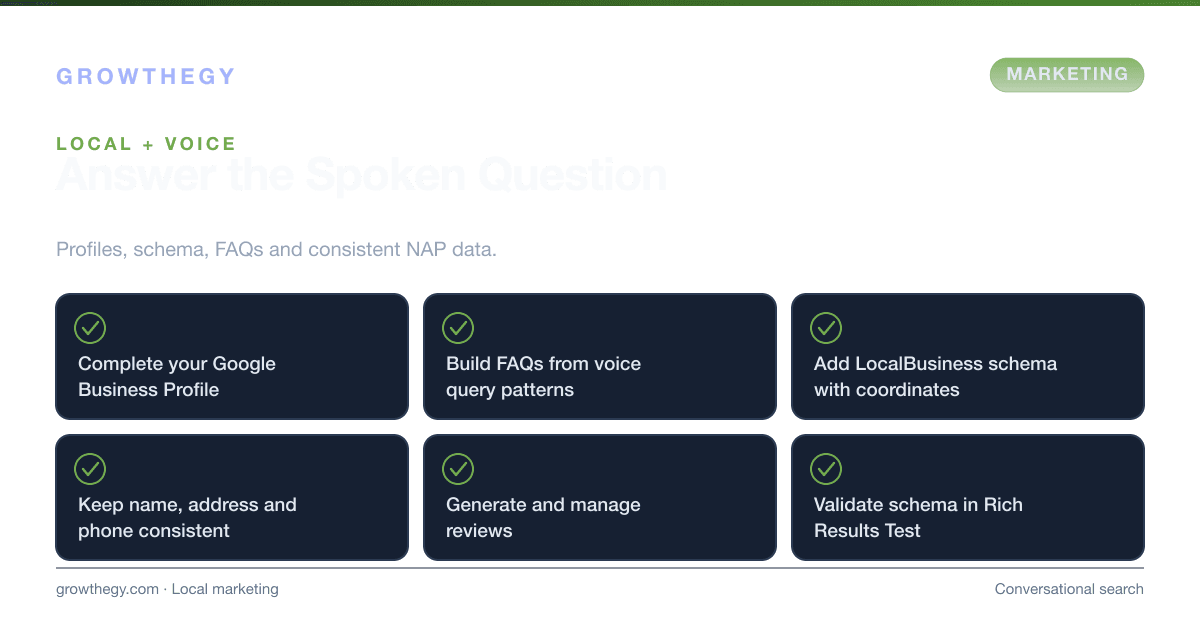
Voice Search Marketing for Local Businesses: Tips & Tactics (2026)
How to use voice search and conversational queries for local marketing in 2025.
Key takeaways
- Voice Search Marketing for Local Businesses: Tips & Tactics — focus on one metric or lever at a time; validate with data before scaling spend.
On this topic: Ecommerce Simulator · Why Sustainable Product Labels Sell Better, AI-Driven Marketing 2026: Practical Playbook
Voice search marketing for local businesses means optimizing so that when people ask "near me," "best [service] in [city]," or similar questions via Alexa, Google Assistant, or Siri, your business can be found and recommended. In 2025, that overlaps with local SEO (NAP, GBP, reviews) and with the move toward more natural, question-based queries.
Voice search is no longer an emerging trend—it's a mainstream consumer behavior. According to Statista, over 8.4 billion voice assistants are in use globally in 2024, projected to reach 9.8 billion by 2026. More critically for local businesses: BrightLocal's Local Consumer Review Survey 2024 found that 58% of consumers have used voice search to find local business information in the last 12 months, and 46% of voice search users search for local businesses daily. When someone says "Hey Google, find me a plumber near me," only one business gets recommended. The question is whether that business is yours.
Voice search queries for local businesses have a uniquely high purchase intent. According to Google, 76% of people who conduct a local search on their smartphone visit a business within 24 hours, and 28% of those searches result in a purchase. No other marketing channel comes close to this proximity-to-purchase speed. Getting your local voice search optimization right is not just an SEO exercise—it's a direct revenue driver.
Voice Search vs. Traditional Search: Key Differences
| Factor | Traditional Text Search | Voice Search | Implication for Local Businesses |
|---|---|---|---|
| Query length | 2–3 words average | 7–9 words average | Target long-tail, conversational phrases |
| Query format | Keyword fragments ("pizza downtown") | Full questions ("Where's the best pizza near downtown?") | Create FAQ content with natural question phrasing |
| Results shown | 10+ blue links + local pack | 1–3 results read aloud | You must rank in top 3 to be found by voice |
| Local intent | ~30% of searches have local intent | ~58% of searches have local intent | Voice is disproportionately local; prioritize local SEO |
| Device context | Desktop, mobile (hands available) | Smart speaker, mobile (often hands-free) | People are often driving, cooking, or out—answer fast |
1. Optimize Your Google Business Profile (GBP)
Your Google Business Profile is the single most important asset for voice search visibility. When Google Assistant answers "best [service] near me," it almost always pulls from GBP data. A complete, accurate, and actively managed GBP profile is the foundation of local voice search optimization.
BrightLocal's 2024 data shows that businesses with complete GBP profiles receive 7x more clicks and 70% more location visits than those with incomplete profiles. Google prioritizes profiles with: accurate NAP (Name, Address, Phone) consistent with all other online mentions, recent posts (at least weekly), high review volume with responses, photos added regularly (businesses with 100+ photos get 520% more calls than those with fewer than 10), and the correct primary and secondary business categories.
GBP Optimization Checklist for Voice Search
- Complete every section: Business description, services, products, hours (including holiday hours), website, booking link, and all applicable attributes (wheelchair accessible, women-owned, etc.).
- Use keywords naturally in your description: Include your city name, neighborhood, and primary services in the business description. Google reads this for voice query matching.
- Post weekly updates: GBP Posts signal to Google that your business is active. Post about offers, events, new products, or tips. Include local keywords naturally.
- Respond to every review: Google's algorithm favors businesses that engage with customers. Respond to all reviews—positive and negative—within 24–48 hours. Use the customer's name and mention your business name and location in responses.
- Add Q&A content: The GBP Q&A section is often pulled for voice answers. Proactively add the most common questions customers ask and provide clear, concise answers.
2. Build an FAQ Strategy for Voice Query Patterns
Voice search queries are conversational questions. To appear in voice answers, your website needs to answer those questions explicitly and clearly. The best way to do this is with a structured FAQ strategy built around the exact questions your local customers ask.
According to SEMrush's 2024 Local SEO Report, pages with properly structured FAQ sections are 3.7x more likely to appear in Google's featured snippets—the primary source for voice search answers. When Google decides what to read aloud in response to a voice query, it almost always pulls from the featured snippet position.
Common Local Voice Search Query Patterns
| Voice Query Pattern | Example | Content to Create | Where to Place It |
|---|---|---|---|
| "Best [service] near me" | "Best dentist near me" | Service page with local modifiers | Service pages, GBP description |
| "Is [business] open right now?" | "Is Pete's Diner open right now?" | Accurate hours on GBP and website | GBP hours, website header |
| "How much does [service] cost?" | "How much does a plumber cost?" | Pricing page with typical ranges | FAQ page, service pages |
| "Where is [business] located?" | "Where is Green Leaf Yoga located?" | Consistent NAP on GBP, website, directories | Contact page, footer, schema |
| "What are [business] hours?" | "What are the library's weekend hours?" | Clear hours with structured data markup | GBP, website, schema |
| "Does [business] offer [service]?" | "Does Park Street Garage do oil changes?" | Comprehensive services list on GBP and website | GBP services, website services page |
3. Implement LocalBusiness Schema Markup
Schema markup is structured data code you add to your website that explicitly tells search engines what your business is, where it is, what it does, and when it's open. For voice search, schema is especially critical because it allows Google and other voice assistants to extract precise, structured answers without having to interpret your content.
According to a Search Engine Land analysis, pages with LocalBusiness schema markup are 4.5x more likely to appear in rich results and voice search answers than equivalent pages without schema. The most important schema types for local businesses are: LocalBusiness (with sub-types like Restaurant, MedicalBusiness, LegalService), OpeningHoursSpecification, GeoCoordinates, and FAQPage.
Step-by-Step: Adding LocalBusiness Schema
- Use Google's Structured Data Markup Helper: Go to Google's free tool, select "Local Businesses," paste your website URL, and tag the relevant information. It generates the schema code automatically.
- Include all required fields: Name, address (streetAddress, addressLocality, addressRegion, postalCode, addressCountry), telephone, openingHours, and url.
- Add geo-coordinates: Include latitude and longitude in your schema. This helps voice assistants determine proximity for "near me" queries.
- Add FAQPage schema to your FAQ page: This wraps each question and answer in structured data that Google can pull directly into voice answers.
- Validate your schema: Use Google's Rich Results Test tool to confirm your schema is implemented correctly and eligible for rich results.
4. Build Citations and Ensure NAP Consistency
NAP consistency—ensuring your Name, Address, and Phone number are identical across every online directory—is one of the most important local SEO signals. For voice search, where voice assistants cross-reference multiple sources to build confidence in their answers, inconsistent NAP data can cause your business to be deprioritized or not shown at all.
Moz's Local Search Ranking Factors 2024 found that citation consistency and volume rank as the 3rd most important local ranking factor (after GBP signals and on-page signals). The top directories to prioritize for local businesses are: Google Business Profile, Apple Maps, Bing Places, Yelp, Facebook, TripAdvisor (for hospitality), Healthgrades (for healthcare), and industry-specific directories. According to BrightLocal, businesses with 50+ consistent citations rank 25% higher in local pack results than those with fewer than 20 citations.
5. Generate and Manage Reviews Strategically
Reviews are a critical voice search signal. When Google Assistant chooses between two plumbers to recommend, it factors in review volume, average star rating, and recency. A business with 200 reviews averaging 4.7 stars will almost always beat a business with 15 reviews at 4.9 stars.
BrightLocal's 2024 Consumer Review Survey found that 98% of consumers read online reviews for local businesses, and the average consumer requires 7 reviews before trusting a business. For voice search, Google's threshold for appearing in "best [service] near me" answers tends to be 10+ reviews with a 4.0+ rating. Businesses with 100+ reviews and a 4.5+ rating dominate voice search results.
Review Generation System for Local Businesses
- Ask at the right moment: The best time to ask for a review is immediately after a positive experience—at checkout, after service completion, or in a follow-up text/email within 24 hours.
- Make it frictionless: Create a short Google review link (using the Google Business Profile "Share review form" option) and text or email it directly to customers. Every extra click reduces completion by ~30%.
- Automate the ask: Set up an automated SMS or email sequence that sends a review request 1–2 days after a purchase or service completion. Tools like Podium, Birdeye, or even simple email automations in Klaviyo can handle this.
- Respond to all reviews: Google rewards review responsiveness. Businesses that respond to 100% of reviews rank higher in local results than those that respond to fewer than 50% (Moz 2024).
- Address negatives professionally: A professional, empathetic response to a negative review often converts skeptical prospective customers into buyers—it demonstrates customer service quality. Never argue or be defensive in review responses.
Connection to Broader Conversational Search
Voice search is part of the shift to conversational and AI-driven search. For a wider view of how to show up in answers, see our conversational search and GEO content. For strategy, try our Ecommerce Simulator.